
Ask a document what it says
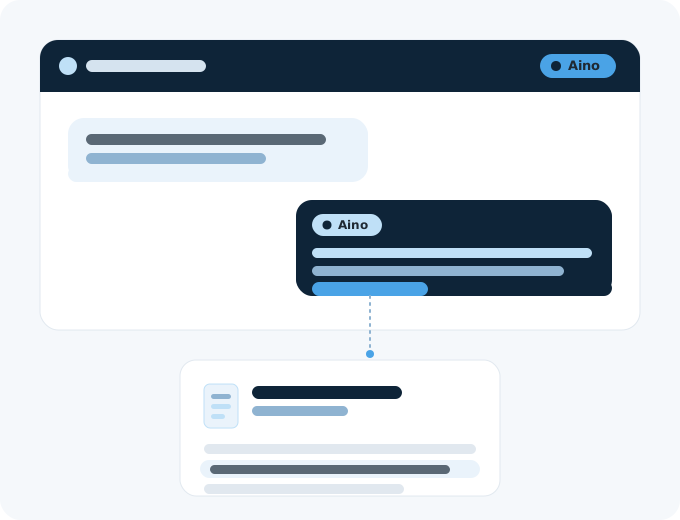
Open a contract and ask what the notice period is. M‑Files Aino, the AI assistant in M‑Files, answers from the text and names its sources. It only uses documents you are allowed to see, and the free 30-day trial includes it.
The reading Aino does for you
Find it in your own words
Describe what you are looking for the way you would say it to a colleague. You do not need the right search term, or to know which document it is in.
Ask about a document
Ask what the notice period is, or who approves the procedure, and Aino answers from the document's content. You do not have to read it through first.
Get a summary first
Aino summarises a text document, so you can tell whether it needs a full read. It can translate the summary into another language as well.
Check the source
Every answer lists the documents it came from. Open one and check it for yourself before you rely on it.

Filled in as the document arrives
When a document is added, M‑Files reads it and suggests the details that describe it: which customer or project it belongs to, a description, keywords, the dates that matter. Each suggestion waits under its field until a person accepts it, so the document is filed by those details from the day it arrives.
- Your administrator chooses the fields — Suggestions come only for the fields you have asked for, in the kinds of document you define.
- A person accepts each one — Nothing goes on the card until the person saving the document says yes, and the source of each value is one click away.
- For the documents you already have — The same suggestions can run over existing documents in bulk, for example when a file share is brought into M‑Files.
Questions people ask a document
A few illustrations of the kind of question Aino is for. The answers come from the document in front of you, every answer lists the documents it came from, and Aino answers in the language you ask in.
What is the notice period?
Asked of a contract: an answer from its own text, with the source shown, so you can check the clause before you reply to the other side.
Who approved this procedure?
Answered from the procedure's text, which is quicker than reading the revision table at the back of a document you have not opened for a year.
Summarise this tender in Danish
A summary of a text document, translated into another language, so a Swedish or English tender can be judged in Danish before anyone reads all of it.
Does it allow subcontracting?
Asked of an agreement: a plain answer, with the document it rests on listed underneath, from a text you have not read through.
Aino reads with your permissions
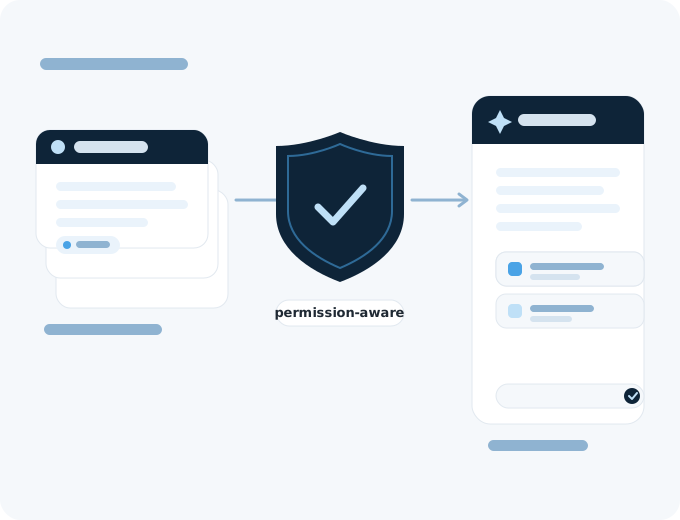
An answer is built from the documents the person asking can open. Someone outside HR gets nothing drawn from employee files, however the question is put. Aino uses the permissions you already have in M‑Files.
- Kept out of AI training — M‑Files states that your documents, metadata and questions are not used to train Aino.
- People still approve — Aino finds and answers. Reviews and approvals stay with the people in the workflow.
In the trial and in both editions
In the free trial
The free 30-day M‑Files trial includes M‑Files Aino, so you can put questions to a document before you buy anything.
In both editions
Aino is part of both M‑Files editions, Essentials and Enterprise, and Enterprise has more AI capacity.
In the desktop and web clients
Aino is available inside the M‑Files desktop and web clients, next to the document you are reading.