
Move from Nimbus and keep working in UPN
TIBCO retired Nimbus in 2025, so your process maps and their documents need somewhere to go. We delivered Nimbus to a number of customers. Today we deliver Elements.cloud, and we help you move, Document Registry included.
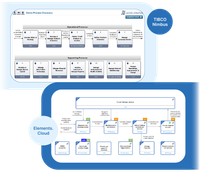
What TIBCO announced, date by date
The retirement notice was first published on 2 August 2024. Customers who moved from Cloud Nimbus to the on-premises version could renew for a further 24 months, to September 2027, and have to request extended support from TIBCO for that period.
Why we deliver Elements.cloud today
- Your authors already know the notation — Elements.cloud uses the same Universal Process Notation. It is easy to learn and easy for end users to understand, and your process authors keep their skills.
- It works with M‑Files — Elements.cloud integrates with the other platforms we deliver, M‑Files among them, so the process diagrams and the documents they govern stay connected.
- Visual processes inside a QMS — An integration between Elements.cloud and VisualQMS puts visual business processes inside a complete quality management system.
What you can take with you from Nimbus
We have implemented business process management solutions for more than ten years. How much can be migrated depends on your maps, so the plan comes first.
-
Decide what is worth moving
You, with Solution Management
Together we decide which parts make sense to migrate and which should be renewed.
-
Migrate the maps that can move
Elements.cloud
Nimbus process maps can be migrated to Elements.cloud, and the plan says which ones move as they are.
-
Renew the rest
Process authors, with the AI in Elements.cloud
The other maps are redrawn in UPN, or derived from text such as SOPs with the AI in Elements.cloud.
-
Move the Document Registry
Solution Management
If your Nimbus maps link to documents in the Document Registry, we help move the documents and links to M‑Files.
-
Maps and documents stay linked
M‑Files manages the governance documents as the replacement for the Nimbus Document Registry.
What your process authors work with
We are an official reseller of Elements.cloud, for process mapping and for use in quality management systems, and we offer consultancy on it.
Draw in the notation you know
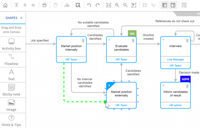
Process maps in UPN, with resources and roles on the activities and graphical elements for the look and feel.
Documents linked from the activity
Documents are linked from the activities in a process through the Elements.cloud URL library.
ISO 9001 tagged where it applies
Reference models such as ISO 9001 are used in the maps and tagged on the activities they apply to.
Approved before it is published
Editing happens in draft. Review and approval follow, and then publication to end users.
Your maps inside M‑Files
M‑Files serves as the document registry, and the process maps are shown inside M‑Files.
Add a controlled document registry
If you already use Elements.cloud and need a controlled place to create, review and approve documents and link them to the process diagrams, M‑Files is that registry. We build it from pre-configured solutions that can be adapted, and we can start quickly with a pilot. The integration with Elements.cloud is built by our development partner CtrlDocs, named M‑Files Solution Partner of the Year 2025.

A full replacement for the Document Registry
M‑Files, with the integration to Elements.cloud from our development partner CtrlDocs, covers what you used the Nimbus Document Registry for.
Write documents in Microsoft Office
Documents are created in Microsoft Office, and M‑Files keeps the versions.
Review and approval in separate steps
Review, quality review and approval are separate steps.
Procedures published when approved
A procedure is published once it has been approved.
Workflows that follow your process
The workflows are configured to your document process.
Grouped by region, area or department
Documents are grouped by metadata such as region, process area and department, among many others.
Access decided by the metadata
Permissions can be based on any of the metadata.
Links reach Elements.cloud by themselves
Document links are published to the Elements.cloud URL library automatically.
Diagrams open inside M‑Files
Process diagrams from Elements.cloud are rendered inside M‑Files.
In Microsoft Teams as well
M‑Files content, process diagrams included, is shown in Microsoft Teams.
See what answers each requirement
VisualQMS shows quality information in the context of the requirements the company must live up to. For each requirement you see the guiding documents, process diagrams and quality activities that answer it, and where a requirement is not sufficiently backed up.
- Start from the documents — The guiding document view starts from policies, procedures, instructions and guidelines.
- Modules for the quality department — The quality activities are modules for the quality department's own work, with standardised workflows, scheduling, reminders and notifications.

Where the maps and documents go next
Process mapping in Elements.cloud
Maps drawn in UPN that people open and follow, published to each role.
See process mappingQuality management
A complete quality management system on M‑Files, with your process maps built in.
See quality managementDocument management
The controlled documents behind the activities, with their versions and approvals.
See document management